

Overview
Vercel’s drains forward observability data to an external destination in real time. Routing this data into Bronto lets you correlate frontend performance, user behaviour, and backend telemetry in a single place, with long-term retention and unified alerting across your full stack.
This guide walks you through configuring each drain type to send data to Bronto.
Prerequisites
- A Vercel Pro or Enterprise plan for Logs, Traces, Speed Insights, and Web Analytics drains. Audit Log drains require an Enterprise plan. See Vercel’s drain documentation for plan details.
- A Bronto API key with at least the Ingestion role. See API Keys for instructions on creating one.
Drain Types
Vercel exposes five drain types. Each maps to a Bronto ingestion endpoint and encoding format:
Replace
<region> with your Bronto account’s region — either eu or us.
All five drain types use the same set of required headers:
Traces use OTLP/HTTP. Vercel sends spans as OpenTelemetry protobuf over OTLP/HTTP to the
/v1/traces path; OTLP/gRPC (port 4317) is not supported. Bronto’s traces endpoint accepts this directly, so you don’t need a collector or proxy. Every span also carries the vercel.projectId and vercel.deploymentId resource attributes, which you can use to link spans back to the matching logs and performance data — see Correlate telemetry across drains.Configure a Drain in Vercel
The steps below apply to all five drain types. Repeat this process for each type you want to enable.- Navigate to your team settings in Vercel and go to the Drains section
- Click Add Drain in the top-right corner
- Select the drain type you want to configure (Logs, Traces, Speed Insights, Web Analytics, or Audit Logs)
- Configure the drain name and select which projects should be associated with it
All data associated with a single drain configuration will be grouped in the same dataset. We recommend creating separate drains for different projects and environments.
- For Logs drains: select the log sources (
build,edge,lambda,static,external,firewall,redirect) and environments (e.g., production, preview) you want to include - For Audit Log drains: these apply to the whole team — project selection, environment filtering, and sampling are not available, so create a single dedicated drain and dataset for them
- Most customers send all data to Bronto without sampling — Bronto is designed to handle high-volume ingestion. If you need to control Vercel drain costs, add sampling rules; for Traces, Vercel supports per-environment and per-path rules (for example, 100% on launch day, then 10% once traffic stabilises, or a steady 5% on static paths)
- Select Custom Endpoint and set the URL to the appropriate endpoint from the table above
- Select the encoding format from the table above (NDJSON for Logs, Speed Insights, Web Analytics, and Audit Logs; Protobuf for Traces)
- Add the three required headers (
x-bronto-api-key,x-bronto-dataset,x-bronto-collection) - Click Test — if everything is configured correctly you should see a 200 status response
If you receive an error, double-check that the endpoint URL is correct for the drain type, the API key has the Ingestion role assigned, and all three required headers are present and correctly formatted. If issues persist, contact Bronto Support.
- Click Create Drain to finish setup
Verify Data Flow
Once a drain is created, data from the selected projects and environments will begin flowing into Bronto. Navigate to your dataset in Bronto to confirm data is arriving as expected.Correlate telemetry across drains
With every drain flowing into Bronto, you can look at frontend and backend data side by side instead of switching between tools. The payloads share a few identifiers that make that work:
For example, when a Speed Insights regression shows up on a route, filter Logs and Traces by the same
deploymentId to find the release that introduced it, then use the traceId on an error log to open the exact span behind it.
Out-of-the-Box Monitoring with Bronto Express
Once your Vercel drains are flowing into Bronto, you can use Bronto Express to instantly provision pre-built dashboards, monitors, and saved searches — no manual setup required. Bronto Express detects which drain types you have configured and offers only the content that matches your data. If you later add additional drains, re-run Express provisioning to unlock the corresponding dashboards.Bronto Express for Vercel is currently in preview and available on request. Please reach out to support to enable it for your account.
Bronto Express currently ships three Vercel dashboards — Overview (Logs), Web Vitals (Speed Insights), and Web Analytics — each mapping to a different drain type. You can ship with any subset; a Vercel Express package is considered valid if at least one drain’s content is fully provisioned.
Traces and Audit Logs are ingested and searchable in Bronto, and they correlate with the other drains, but they don’t have a dedicated Express dashboard yet. You can build your own on the incoming data in the meantime.
Dashboards
Vercel Overview (Logs drain)
A high-level view of request traffic, error rates, cache behaviour, and firewall activity across your Vercel deployments.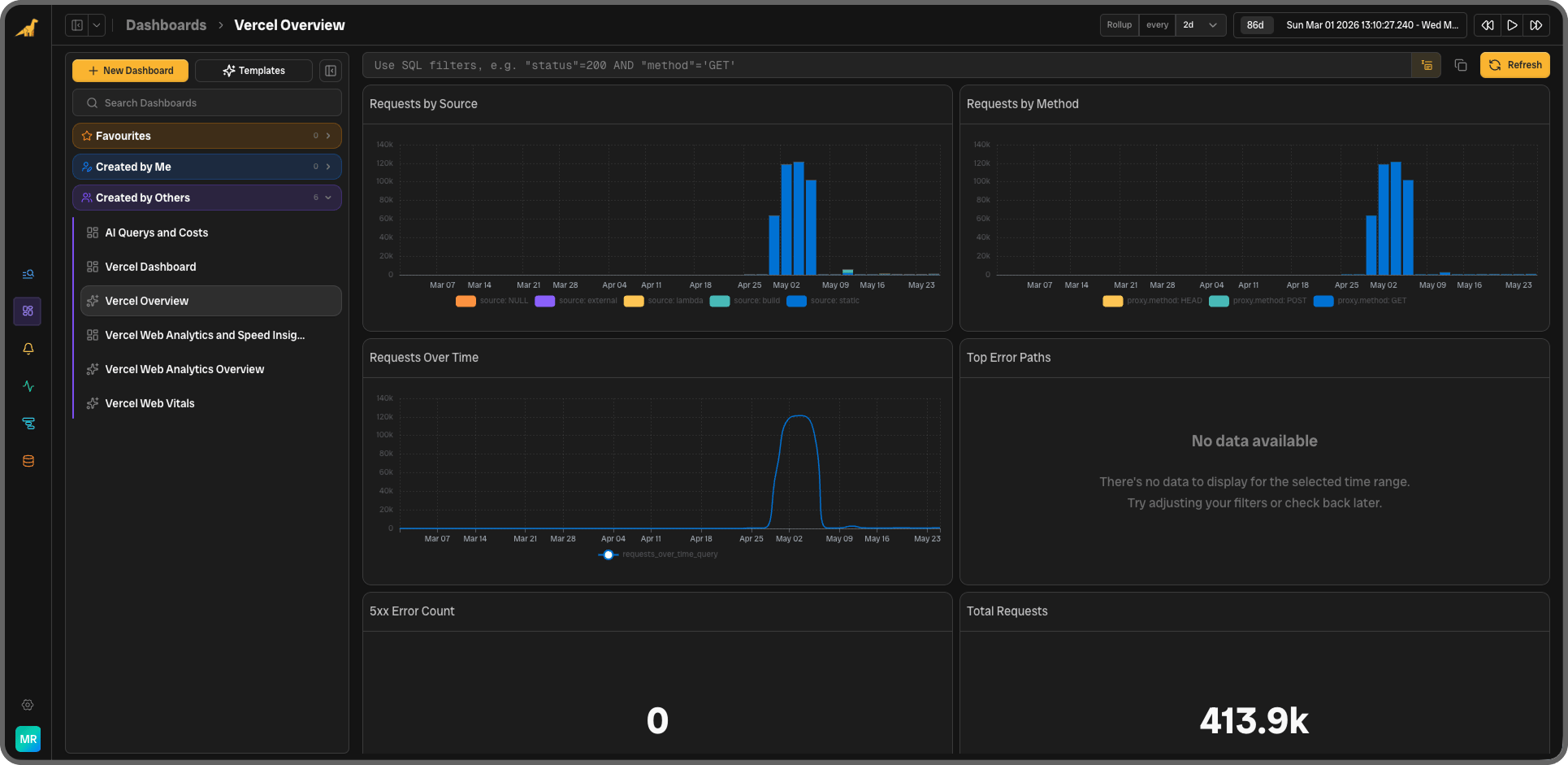
Vercel Web Vitals (Speed Insights drain)
Core Web Vitals at P75, segmented by route and device type, using Google’s published “good” thresholds.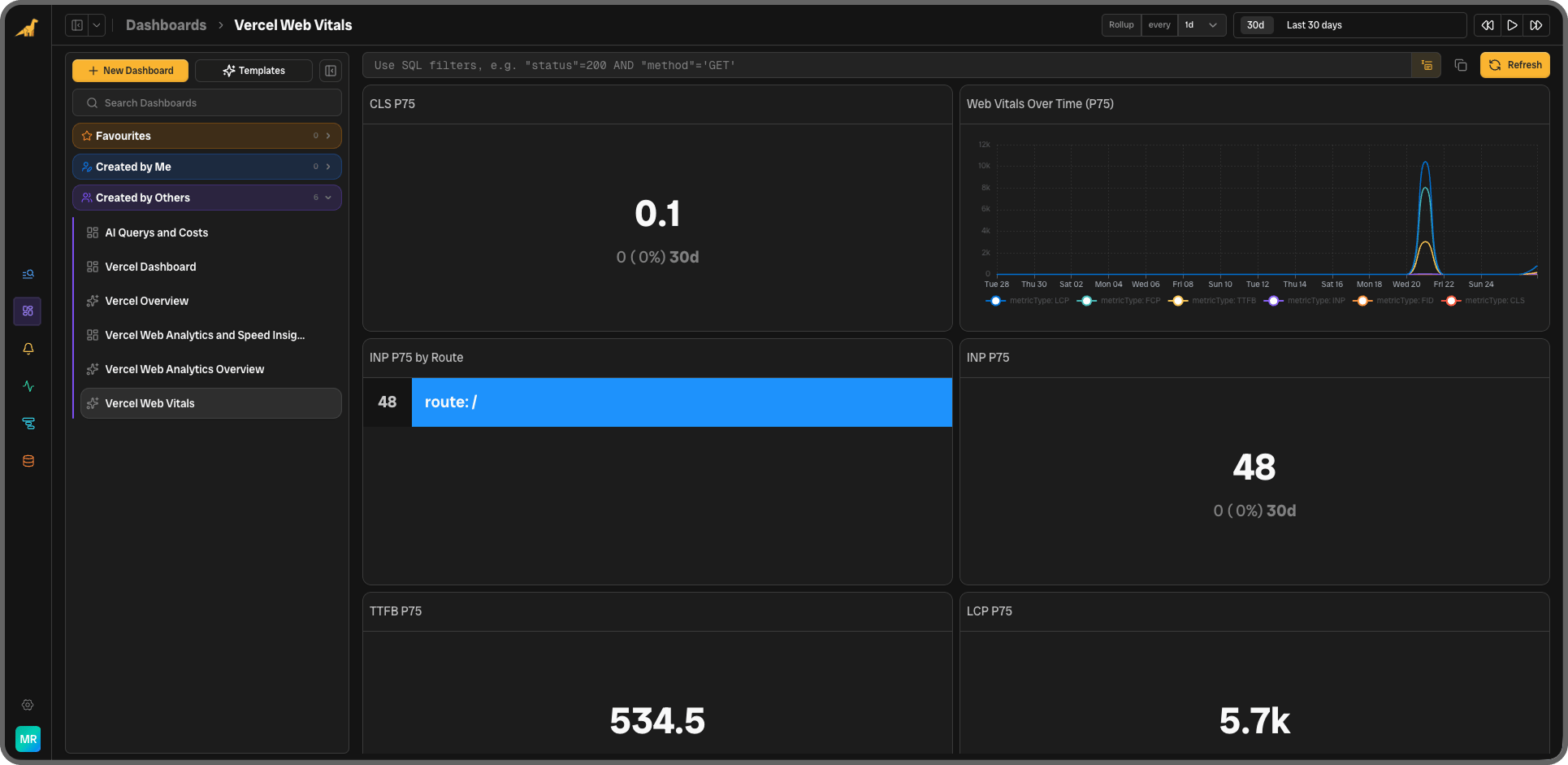
Vercel Web Analytics (Web Analytics drain)
Visitor and engagement data from your Vercel Web Analytics drain.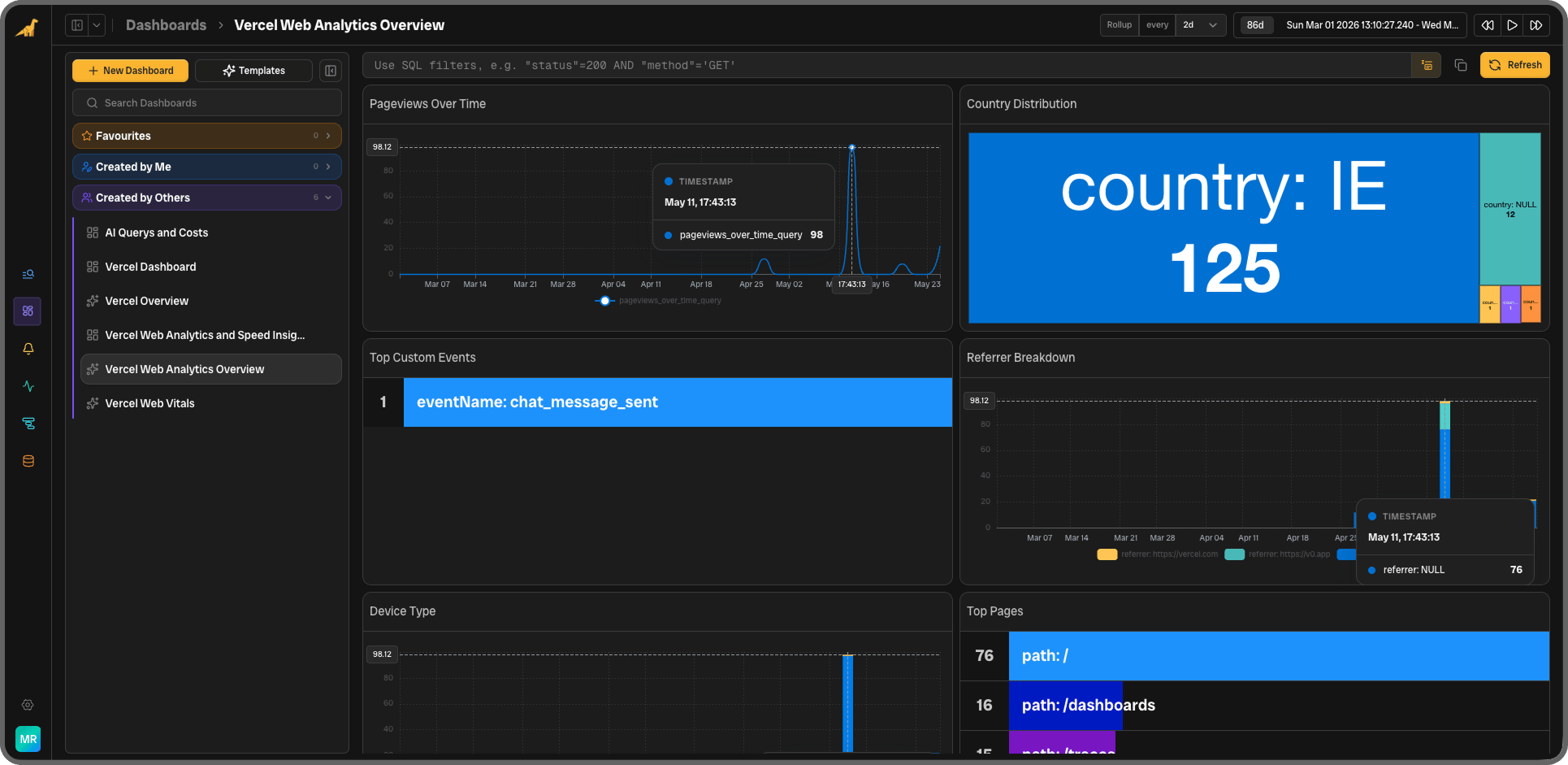
Monitors
Monitors run continuously against your incoming data and fire alerts when thresholds are crossed. All windows are 5 minutes.Thresholds for LCP and INP match Google’s and Vercel’s published “needs improvement” cut-off. You can adjust these in the monitor settings to match your own performance baseline.