

Manage API Keys
Navigate to the theSettings > API Keys item from the application sidebar to manage your API Keys.
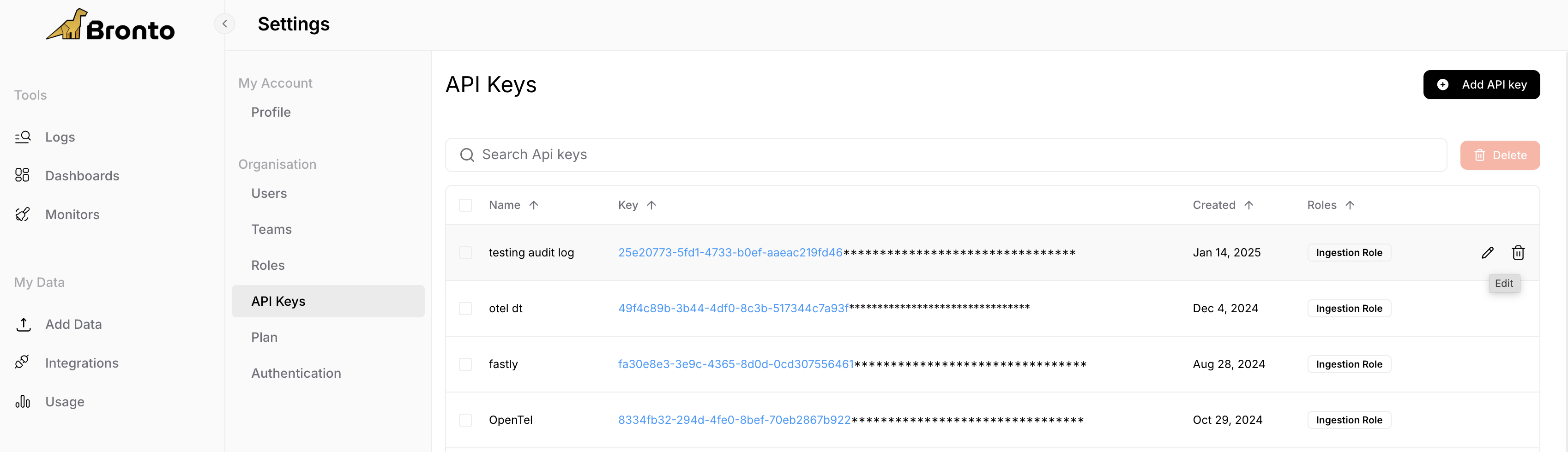
Create a new API Key
1
Select Create a new API Key
2
Choose a name for this key
3
Select a Role (Ingestion Role, Search Role or Admin Role)
4
Select Create Key to be presented with the new api key. Please copy this to a safe location as it will not appear again
API Key Roles
Bronto allows users to specificy roles in order to limit what resources an api key can access. We currently provide the following roles:Edit API Keys
- Within the API Key page, hover over a key you wish to edit, click pencil icon that appears on the right side
- Here you can edit the roles assocaited with the key and the key name
- Under Permissions we list the various part of the product this given key can interact with
Deleting API Keys
- Within the API Key page hover over a key you wish to permenantly delete
- Select the trash icon to delete
- Note: Deleting a key will permanently impact any services currently using it and revoke any access where it is being used.