

SLO concepts
SLOs use request entry spans. Before creating one, make sure the service is sending traces with a
service.name, endpoint information, request duration, and the status attributes needed to identify errors. See Send Traces to Bronto.
Find SLO candidates
Select SLOs from the left navigation. Bronto analyzes request spans from the previous 28 days and suggests services and endpoints that may benefit from an objective. Each candidate summarizes its:- service and endpoint
- success rate
- p95 latency
- request volume
- recent error-rate or latency trend
Create an objective
1
Select a service and endpoint.
2
Choose Availability or Latency as the SLI.
3
Set the target percentage and select a rolling or calendar window.
4
Name the objective and optionally configure a notification.
5
Review the live preview and objective summary, then select Create objective.
Choose an SLI
- Availability
- Latency
Availability measures the share of valid requests that did not fail. Bronto evaluates one designated entry span per request.Select the service and endpoint, then define the Error Indicator that identifies a failed request. For example, 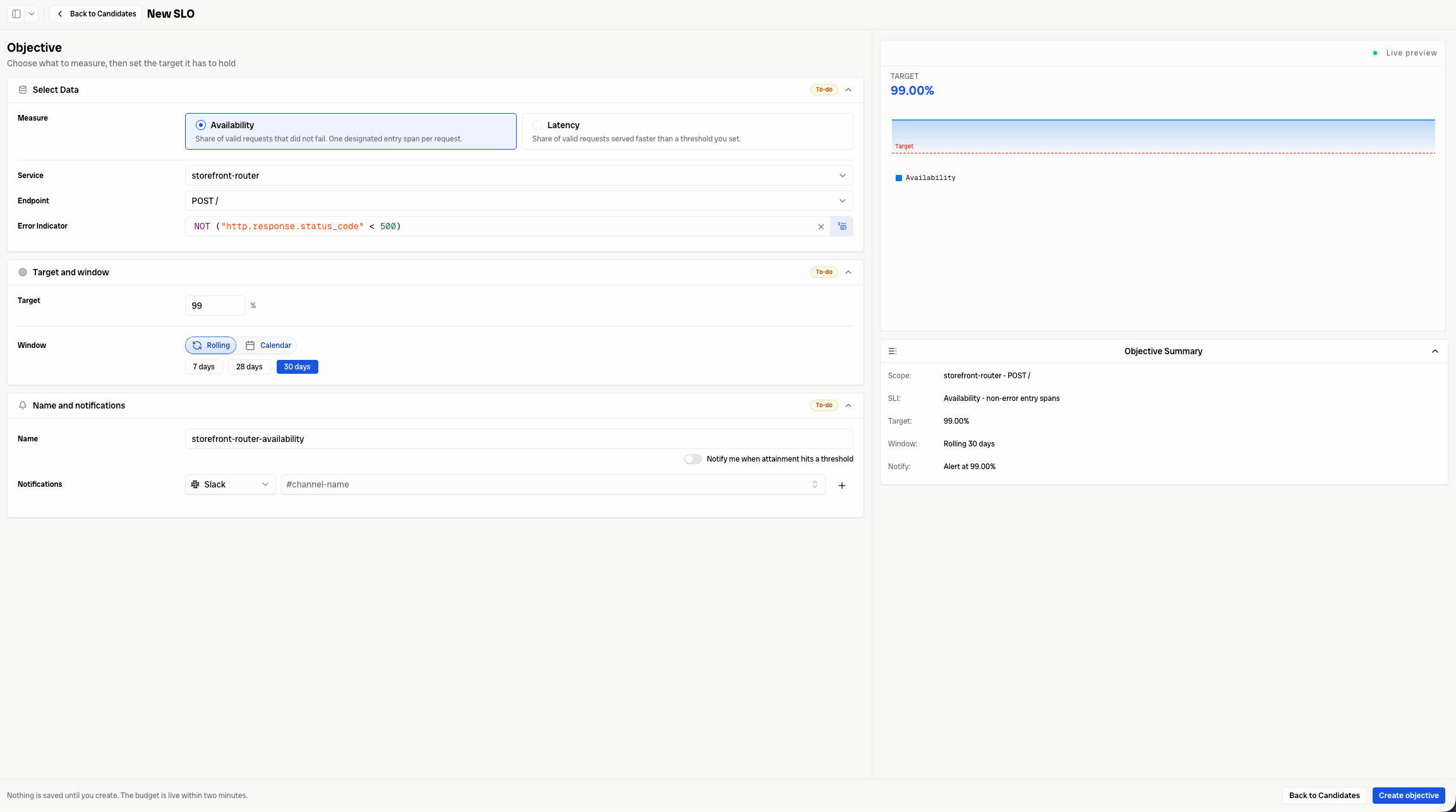
NOT ("http.response.status_code" < 500) treats responses with a status code of 500 or greater as errors.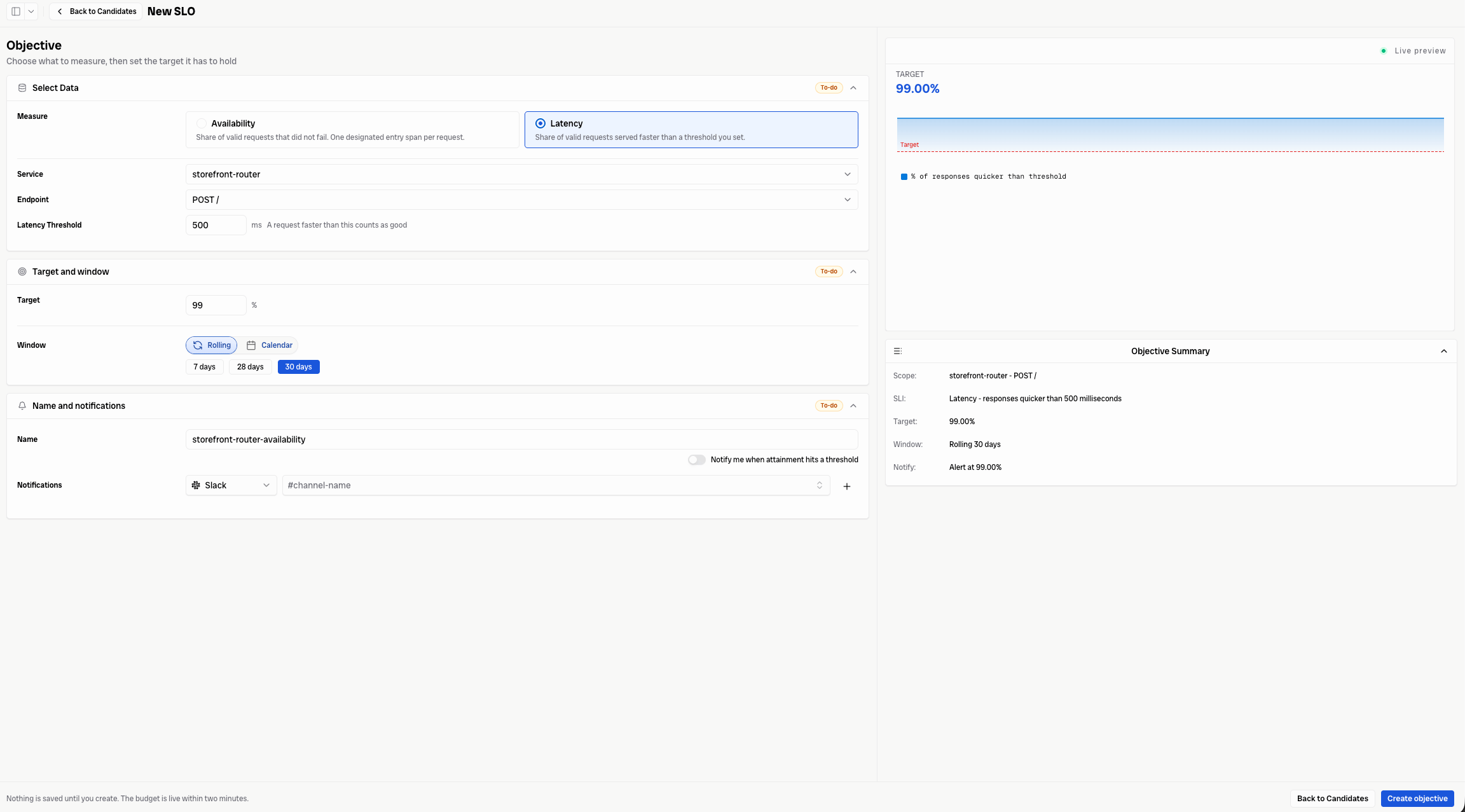
Set the target and window
Enter the percentage of requests that must meet the SLI. For example, a target of99% requires 99 out of every 100 valid requests to be successful or faster than the selected threshold.
Choose how Bronto evaluates the target:
- Rolling continuously evaluates the most recent window.
- Calendar evaluates the selected calendar-aligned window.
Configure notifications
Give the objective a descriptive name. To receive an alert, enable Notify me when attainment hits a threshold, then select a configured notification channel and destination, such as a Slack channel. See Slack notifications for setup instructions. The Live preview and Objective Summary update as you configure the objective. Use them to confirm the scope, SLI, target, window, and notification settings before creating it.Nothing is saved until you select Create objective. After creation, the error budget can take up to two minutes to become available.