

Overview
The Saved Searches panel groups your searches into Favourites, Created by Me and Created by Others, so you can separate your own work from searches shared across your account. A By Tag group also appears once any of your saved searches are tagged.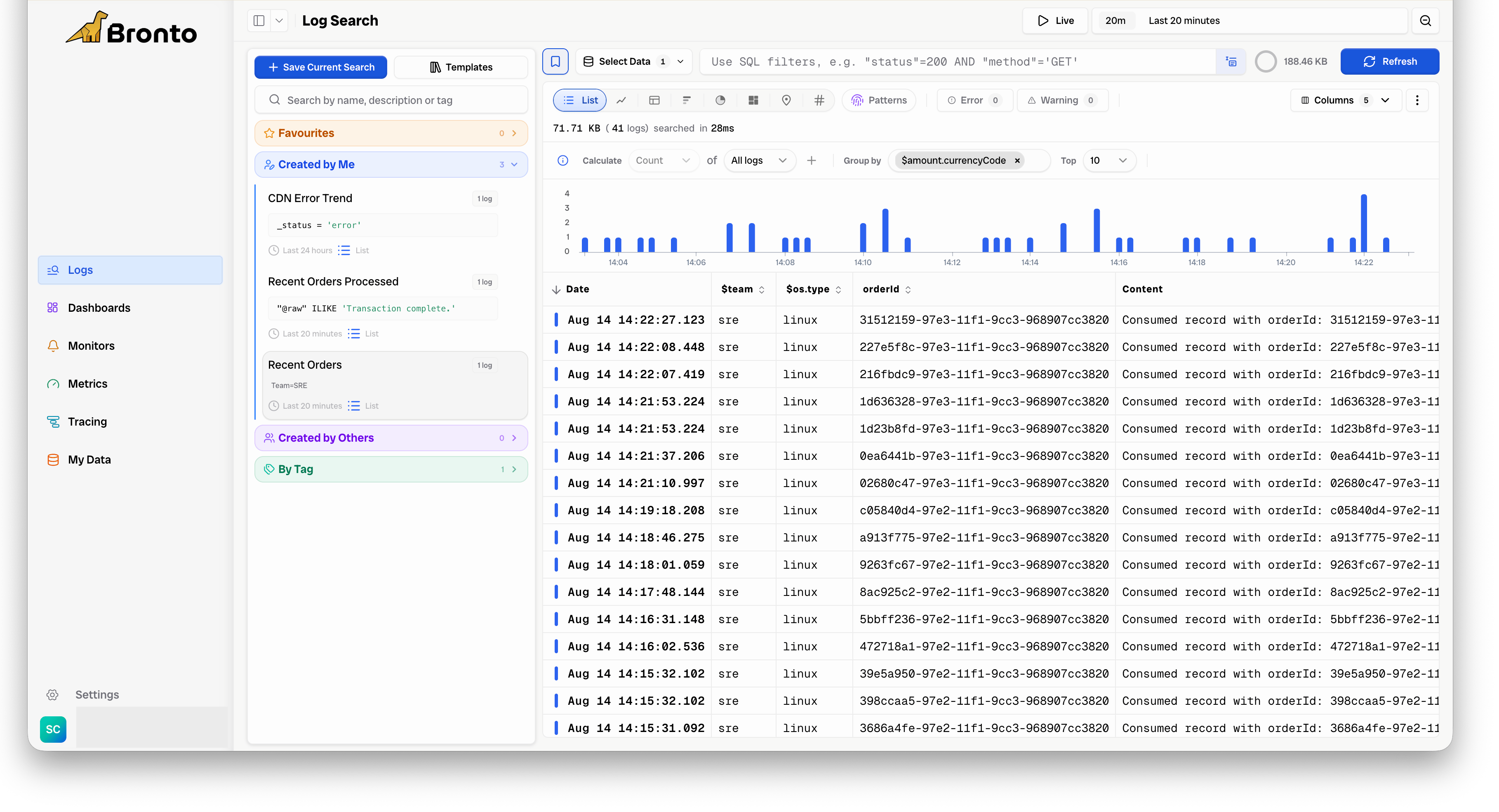
- Load or reload a saved search.
- Edit, add to favourites, or delete a saved search from its
...menu.
- Run a search using the conditions you want to save or share.
- Click Save Current Search at the top of the panel. A new panel will appear where you can enter a name for your saved search.
- Enter a name and click Save to confirm.
Column selection and ordering have been stored with saved searches since July 2025. Searches created before then have no stored column layout, so Bronto derives a sensible default from the log type when you load them.