

traceparent header to the HTTP requests its checks make. If the service under test is instrumented with OpenTelemetry and sends its traces to Bronto, each check run becomes the root of one trace in Bronto: from the Checkly location, through your edge and functions, down to the slowest span.
This page was verified on October 22, 2026 with an API check on a Checkly Team trial. Trace export is part of Checkly Traces. Check which Checkly plans include it in Checkly’s pricing.
Prerequisites
- A Checkly account with Traces. You need permission to change the account settings.
- A Bronto API key with the Ingestion role. See API Keys.
- Your Bronto region:
euorus.
Send check results to Bronto
- In Checkly, open Account settings, then Traces under Integrations in the settings sidebar.
-
Scroll down to Export Traces and fill in the form:
Enter the full URL, including
/v1/traces. Checkly sends the spans to exactly this URL.The whole setup in under a minute, from Checkly's account settings to a check run's trace in Bronto
- Click Save.
- Run any check, for example with Run request in the check editor or Schedule now on a saved check. Runs from the editor are exported too.
service.name = checkly, and its operation is the check’s name.
Connect check runs to your backend traces
For API, browser, and multistep checks, Checkly adds two headers to each HTTP request the check makes:traceparent, with the trace ID and the check run’s span IDtracestate: checkly=true
traceparent with the default W3C trace-context propagator and continues the trace. If that service sends its traces to the same Bronto account, its spans nest under the check run, with no further setup. If a browser check or Playwright Check Suite sets its own extraHTTPHeaders, Checkly’s default trace headers are replaced. Add traceparent and tracestate from the CHECKLY_TRACEPARENT and CHECKLY_TRACESTATE environment variables, as shown in Checkly’s Traces setup.
What you’ll see in Bronto
One trace from the check location to your code
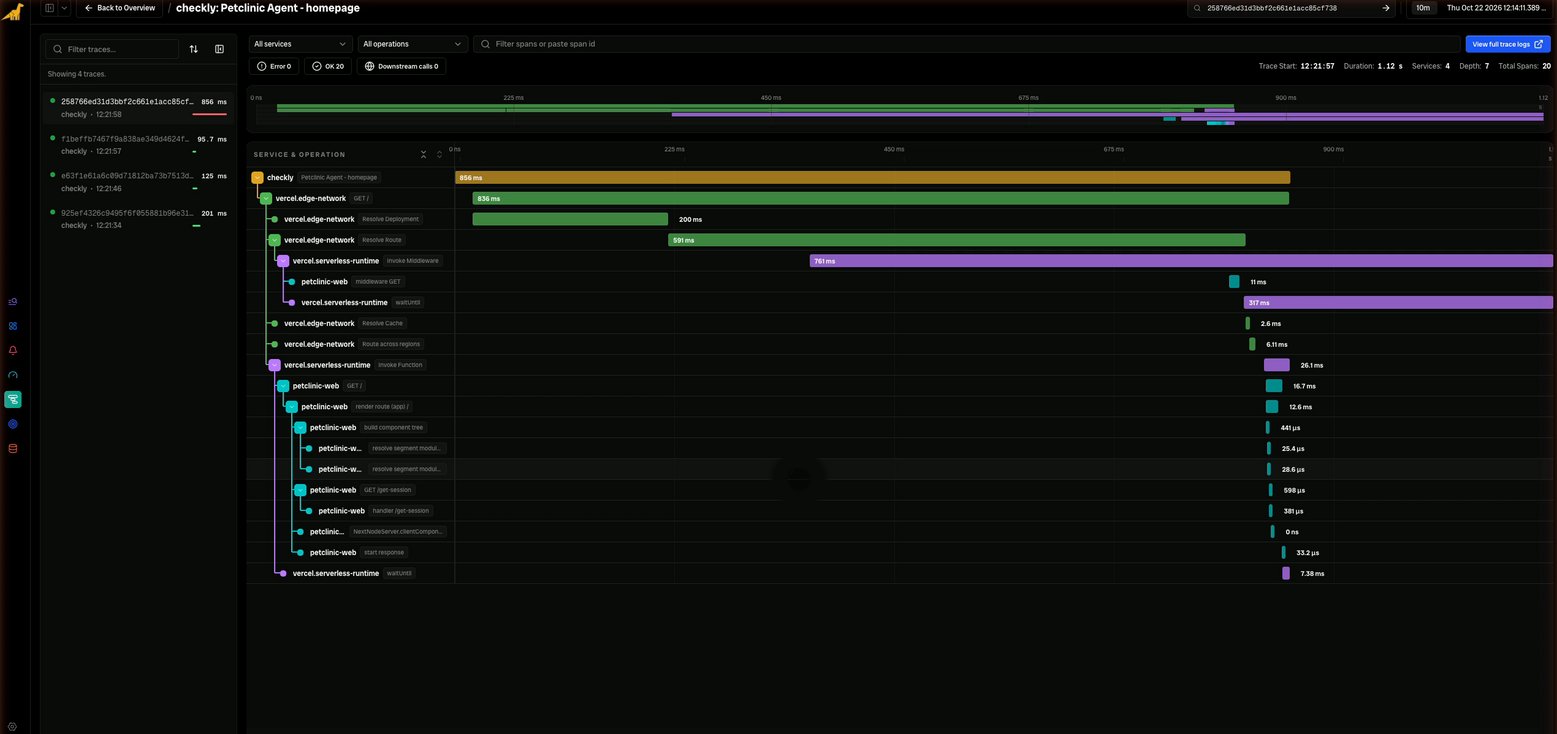
An API check against a Next.js app on Vercel produces a single trace with spans from four services: thecheckly check run, vercel.edge-network, vercel.serverless-runtime, and the app’s own petclinic-web spans.
Span attributes
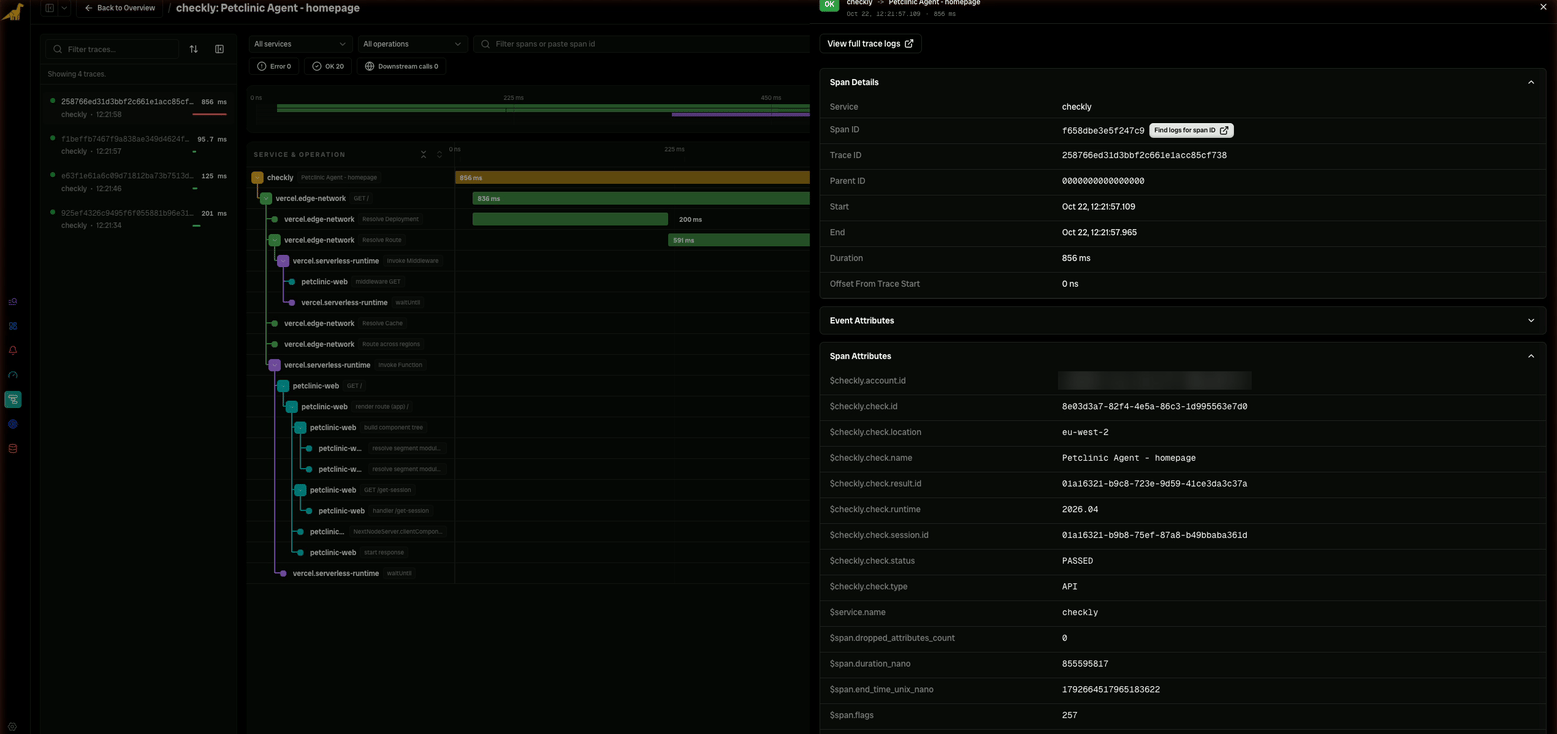
Each check run is aCLIENT span. Its duration is the check’s response time, and it carries the check details as attributes:
Search and aggregate
Bronto indexes span attributes with a$ prefix, so you can filter on them as field predicates. For example, all check runs that didn’t pass:
$checkly.check.location to compare response times across Checkly locations, or by $checkly.check.name to see each check over time.
Troubleshooting
References
For assistance or questions, contact support@bronto.io.