
Overview
An Amazon Data Firehose delivery stream can send logs straight to Bronto’s HTTP endpoint, with batching, compression, and retries handled by Firehose. No Lambda function is needed. One stream can carry every CloudWatch log group in an account, with each log group landing in its own dataset. Services that deliver natively to Firehose can point at the same kind of stream. To export CloudWatch metrics rather than logs, use Amazon Data Firehose for CloudWatch Metrics.When to Use Firehose
For application or container logs, use ADOT instead.
Setup
1
Create the delivery stream
In the AWS Console, go to Amazon Data Firehose → Create Firehose stream.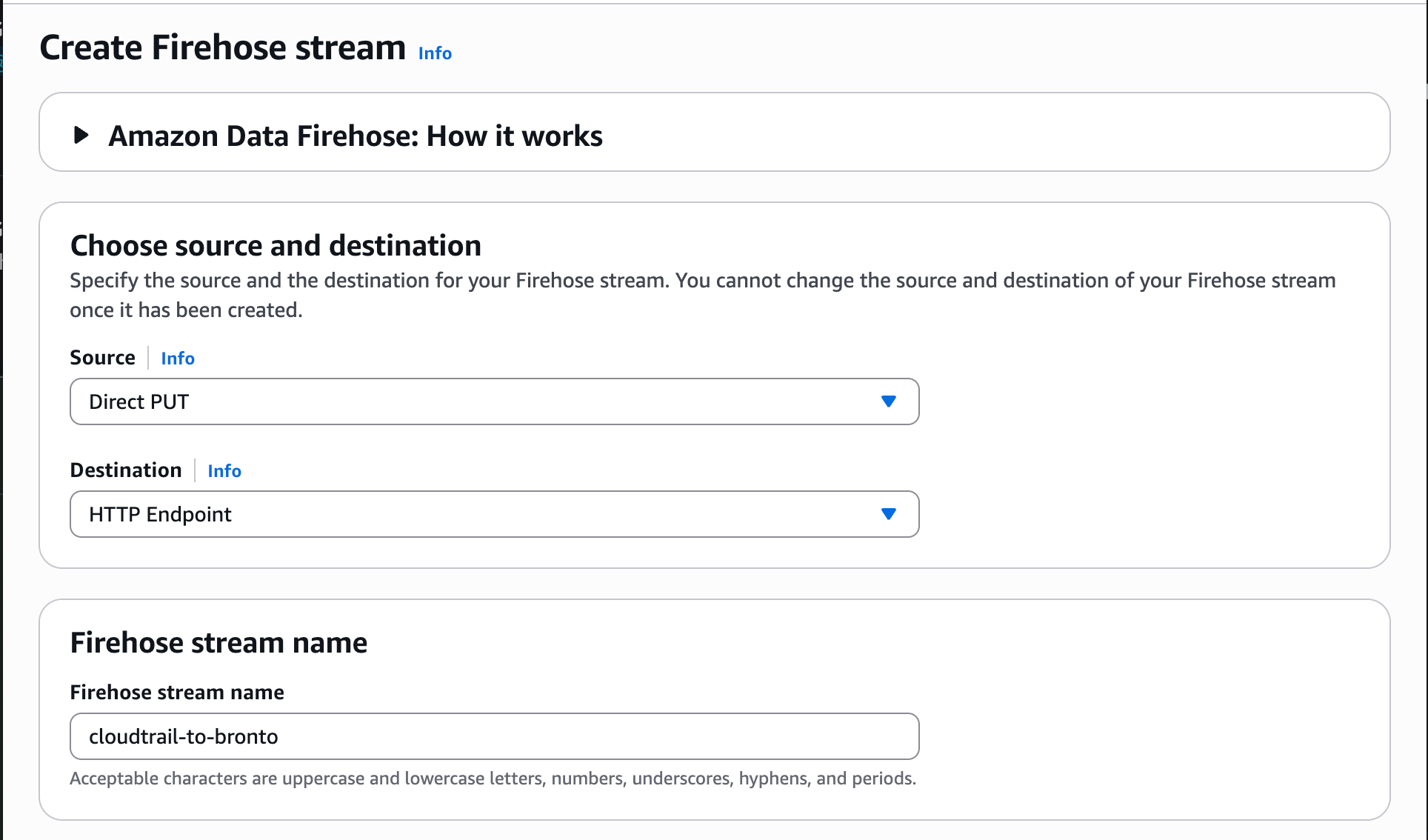
- Source: Direct PUT for CloudWatch log groups and services that deliver to Firehose directly. Amazon Kinesis Data Streams for CloudFront real-time logs.
- Destination: HTTP Endpoint.
2
Configure the Bronto destination
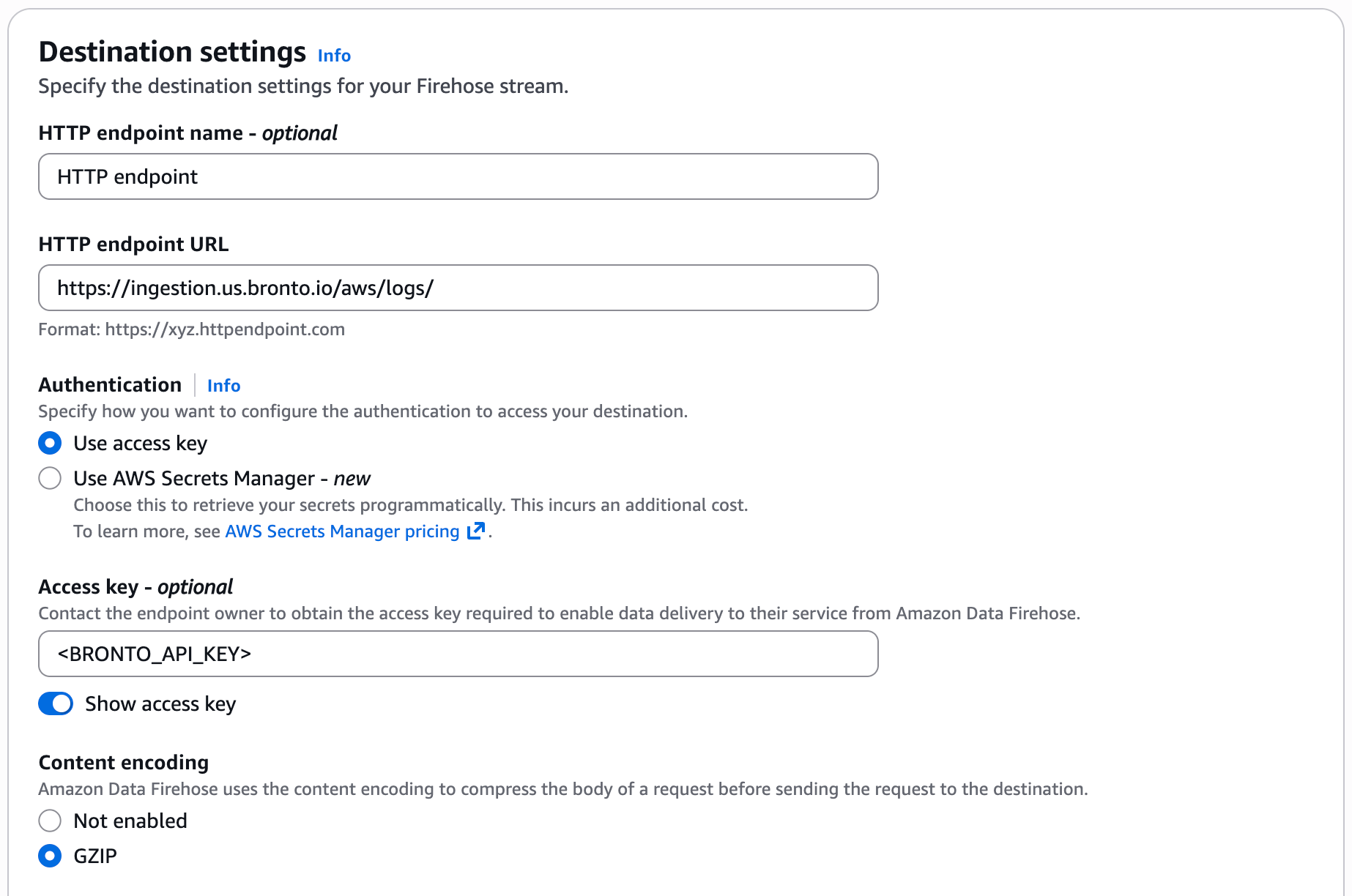
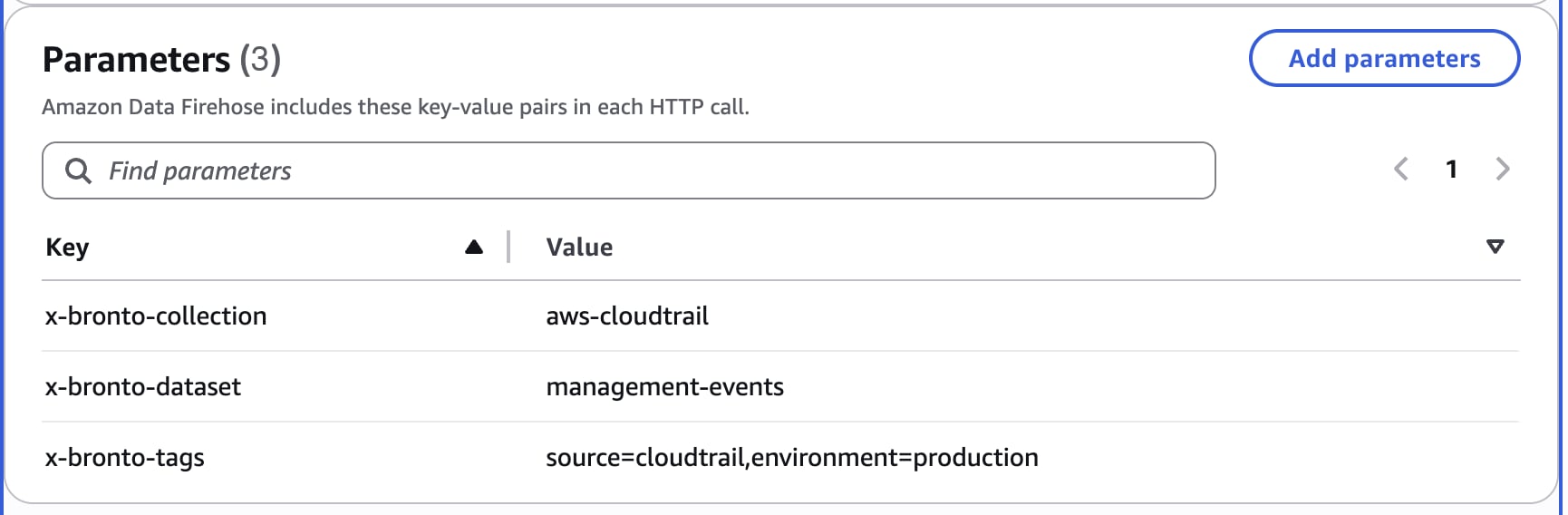
3
Connect your logs
CloudWatch log groups. Add an account-level subscription filter that sends every log group in the account and Region to the stream. New log groups are picked up automatically.Create an IAM role that CloudWatch Logs can assume, with permission to write to the stream:Then create the account-level subscription filter policy:Services that deliver to Firehose directly. Point the service’s log or event destination at the stream and set
Trust policy
Permissions policy
--selection-criteria excludes log groups from forwarding. Exclude the stream’s own error log group so its errors aren’t sent back through it.AWS allows one account-level subscription filter policy per account in each Region, so repeat this in each Region you forward. To forward only some log groups, add a log-group-level subscription filter with the same role instead. Log groups in the Infrequent Access class can’t be subscribed.
x-bronto-dataset. Where the service offers a JSON output format, choose it. See ALB / NLB, CloudFront, API Gateway, WAF, Route 53, ElastiCache, SES, Cognito, and Lambda.Record Formats
Bronto detects the format from each record:- CloudWatch Logs data is unwrapped into one event per log event. The log group, log stream, and owner are kept as
$logGroup,$logStream, and$owner. - JSON records are parsed and flattened into searchable fields. Choose a JSON log format where the service offers one.
- Delimited text, such as VPC Flow Logs, CloudFront real-time logs, and Route 53 public query logs, is stored raw. Use a custom parser to extract fields.
Cost
Firehose charges per GB processed, with no Lambda costs. Logs routed through CloudWatch Logs also incur CloudWatch Logs ingestion charges.For assistance, contact support@bronto.io.