

Overview
When enabled on a monitor, Bronto sends the alert context and your Investigation Prompt into an AI-driven investigation workflow. The report is delivered as a follow-up to the monitor notification and is designed to help responders move from alert to diagnosis faster. This feature is best suited to recurring operational issues where the monitor already points to a meaningful failure signal, but responders still need help checking dependencies, related datasets, or likely impact.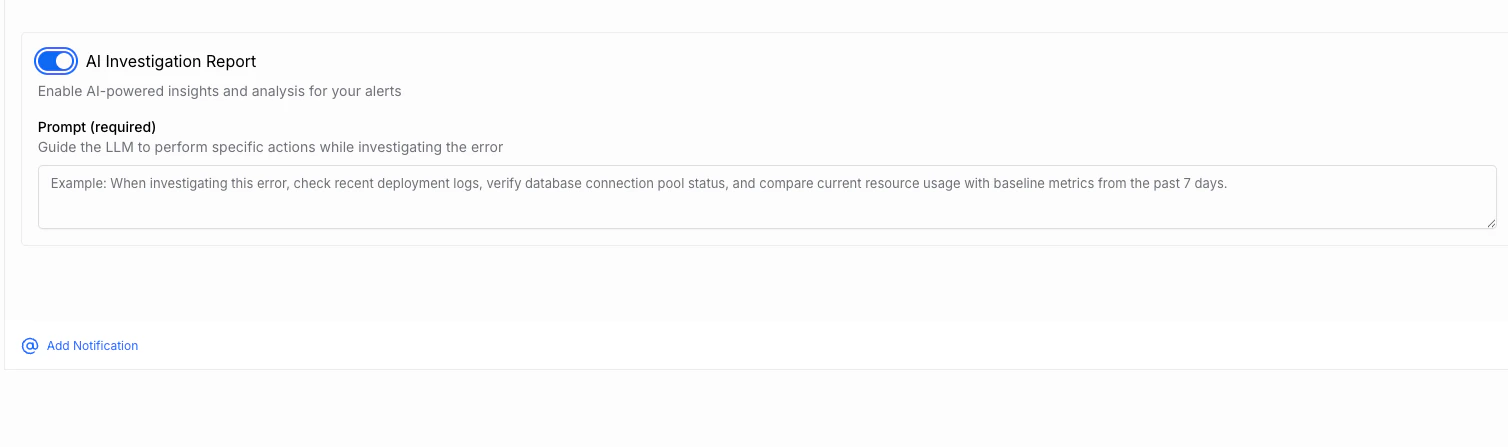
How It Works
- Create or edit a monitor in Bronto
- Enable AI Investigation Report
- Enter an Investigation Prompt
- Save the monitor and configure notifications as usual
- When the monitor fires, Bronto runs an investigation automatically
- Review the report that follows the alert notification
What To Configure
AI Investigation Report
Toggle AI Investigation Report on for the monitor to enable automated analysis when the alert triggers.Investigation Prompt
The Prompt field tells the AI what to look for while investigating the alert. This prompt gives the model operational context, guidance on related systems, and instructions for what the report should include. Use the prompt to describe things like:- Dependencies of the affected service
- Related datasets, logs, traces, or systems to inspect
- Relevant keys, fields, or metrics to compare
- Expected baselines or time windows
- The output you want in the report, such as impact, timeline, or likely cause
When investigating this error, check recent deployment logs, verify database connection pool status, and compare current resource usage with baseline metrics from the past 7 days.
What The Report Can Include
Based on the prompt and alert context, the resulting investigation report may include:- A likely diagnosis or root-cause hypothesis
- Affected services, components, or users
- A timeline of the issue
- Related evidence gathered from your telemetry
- Suggested next steps for responders
Writing Effective Prompts
The strongest prompts are short, specific, and operationally grounded. Good prompts usually:- Name the service or workflow involved
- Identify dependencies worth checking
- Point to important datasets or fields
- Ask for concrete outputs such as impact, timeline, or probable cause
When To Use It
Use AI Investigation Reports when you want alert notifications to include an immediate starting point for triage, especially for:- Repeating production incidents
- Monitors tied to a critical service or workflow
- On-call handoffs where context is often missing
- Alerts that require checking multiple related systems
Limitations
- Results depend on the data available to Bronto at the time the monitor fires
- Better prompts produce better reports
- AI-generated diagnoses are investigative guidance, not guaranteed root cause