> ## Documentation Index
> Fetch the complete documentation index at: https://docs.bronto.io/llms.txt
> Use this file to discover all available pages before exploring further.
# Quick Ingest
> Send logs directly to Bronto in seconds using an API key with no agent or forwarder configuration required, ideal for testing or one-off ingestion.
Skip the agent setup and get your log data into Bronto instantly. Quick Ingest lets you paste raw log data or use a ready-made script to ship logs directly via the Bronto API — ideal for testing, one-off ingestion, or getting up and running fast.
For production environments or continuous log forwarding, see the [Agent Setup](/agent-setup/agent-intro) guide.
## Send Data
To start quick ingestion, click on the "Add data" item in the application sidebar.
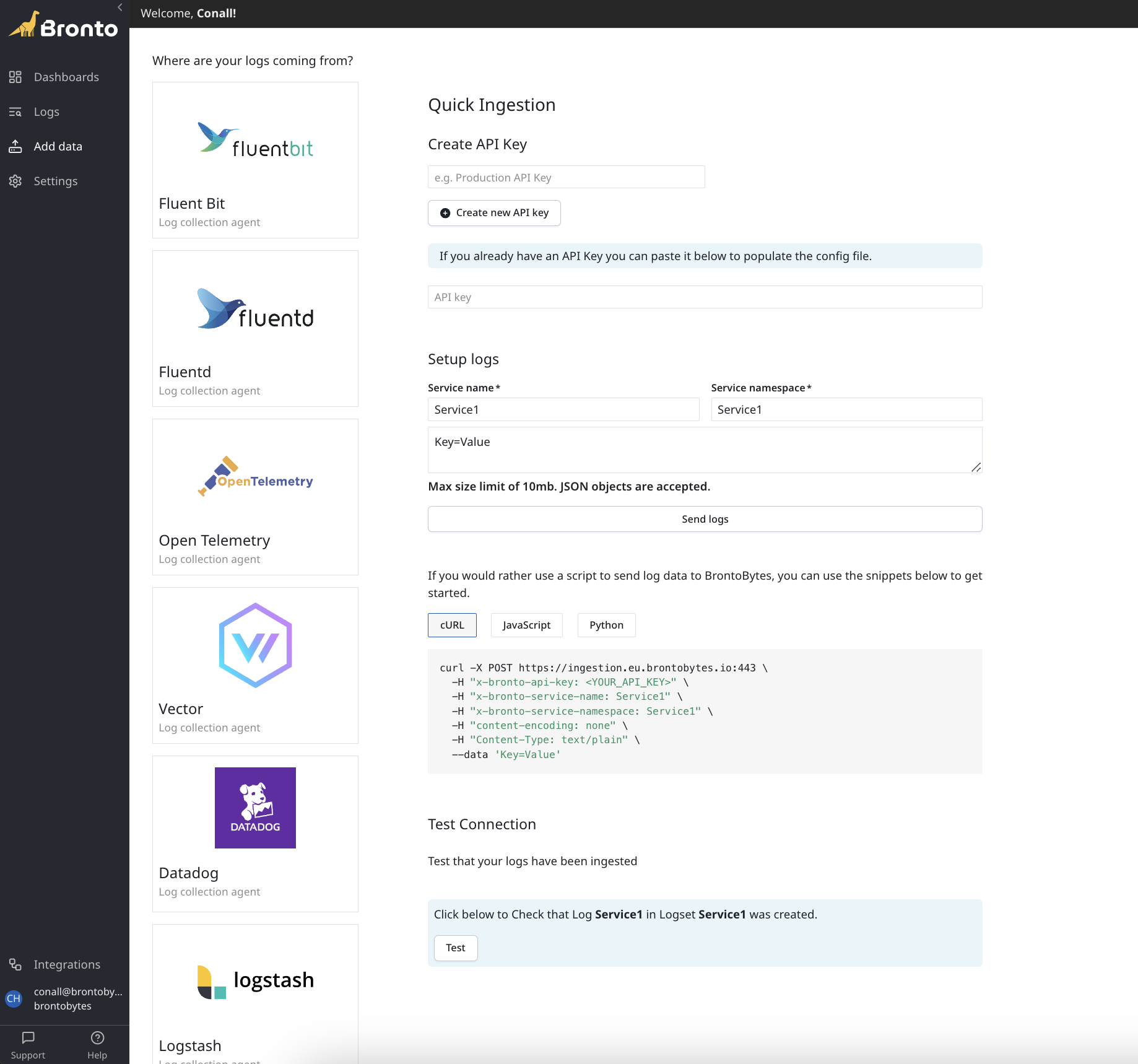 Create a new [API Key](/Account-Management/API-Keys) or use an existing one
Specify a service name and service namespace
Paste your raw log data into the text input
Click on the "Send logs" button to utilise the app to send a log event or you can reuse the example scripts listed
## Verify Ingestion
Once you have sent your logs, you can use the Test connection section at the bottom of the page to verify that your logs have been ingested to Bronto.
Create a new [API Key](/Account-Management/API-Keys) or use an existing one
Specify a service name and service namespace
Paste your raw log data into the text input
Click on the "Send logs" button to utilise the app to send a log event or you can reuse the example scripts listed
## Verify Ingestion
Once you have sent your logs, you can use the Test connection section at the bottom of the page to verify that your logs have been ingested to Bronto.